ROLE
Lead Product Designer
TEAM
PM x 1
Eng x 4+
UX Research x 1
Content design x 1
VX design x 1
USER
• Platform end-users (admins and agents)
• Business Unit (BU) users
What I did
Designing contextual guidance for an AI-native platform
I led the experience design for AI Native Help, a shared guidance framework supporting onboarding, adaptation, task completion, and effective collaboration with AI across ServiceNow.
Starting from use cases, I defined interaction patterns, proposed trigger rules, and developed shared guardrails. The work connected what guidance looks like with when it should appear, how users control it, and how different product teams contribute to one consistent experience.
The problem
A new platform, fragmented guidance
As ServiceNow transitioned to an AI-native platform, users would encounter unfamiliar capabilities, workflows, and interaction models. Existing help experiences were built independently for individual features, leaving no consistent, context-aware approach to supporting users through that transition.
The goal
Helping users adapt to a changing platform without disrupting their work
The goal was to help users onboard, adapt, and work effectively with AI through guidance relevant to their current task. This meant making help easy to discover and act on, while respecting users’ attention and control over when to engage.
The messy process
Defining the experience while the platform was taking shape
The broader platform vision was still evolving when we began. I explored interaction concepts alongside use cases to understand what guidance should offer and how it should behave in the new ServiceNow AI-native Platform.
The core design challenge
Defining the experience while the platform was taking shape
The questions I asked extended beyond the interface:
• When would proactive guidance provide value?
• When should it wait or stay silent?
• How could users decline help without losing access to it?
• How could guidance remain consistent across products and content sources?

One example use case
Finding the right moment to help
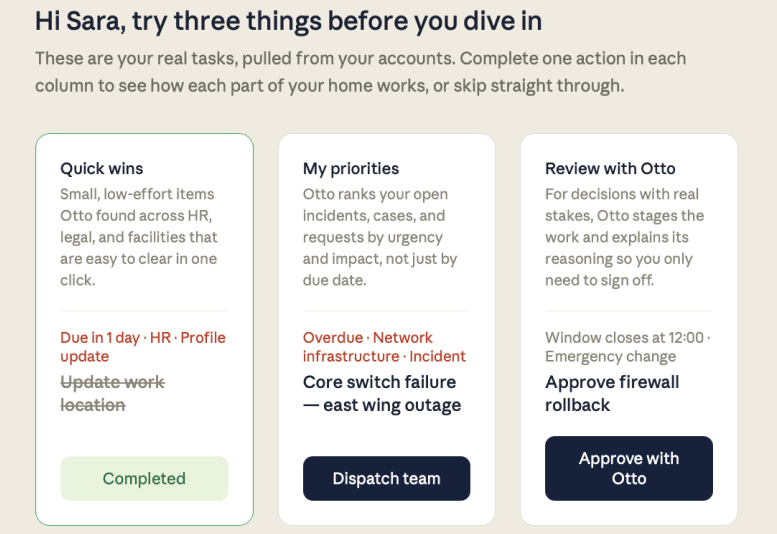
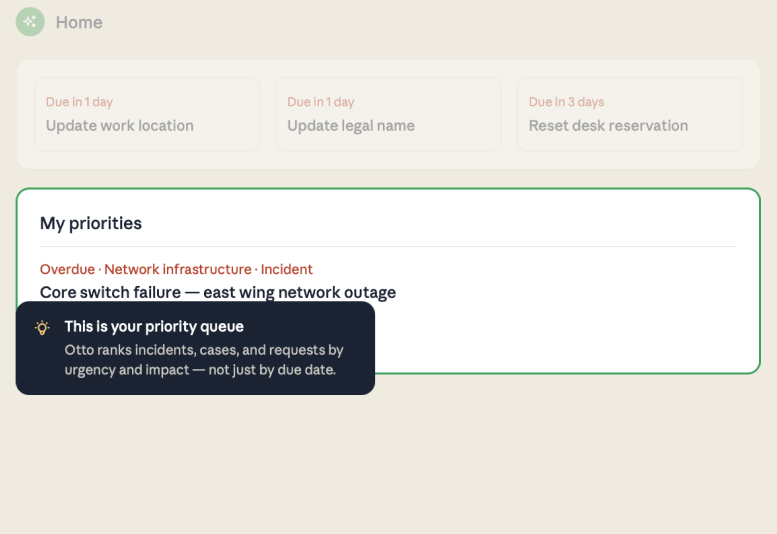
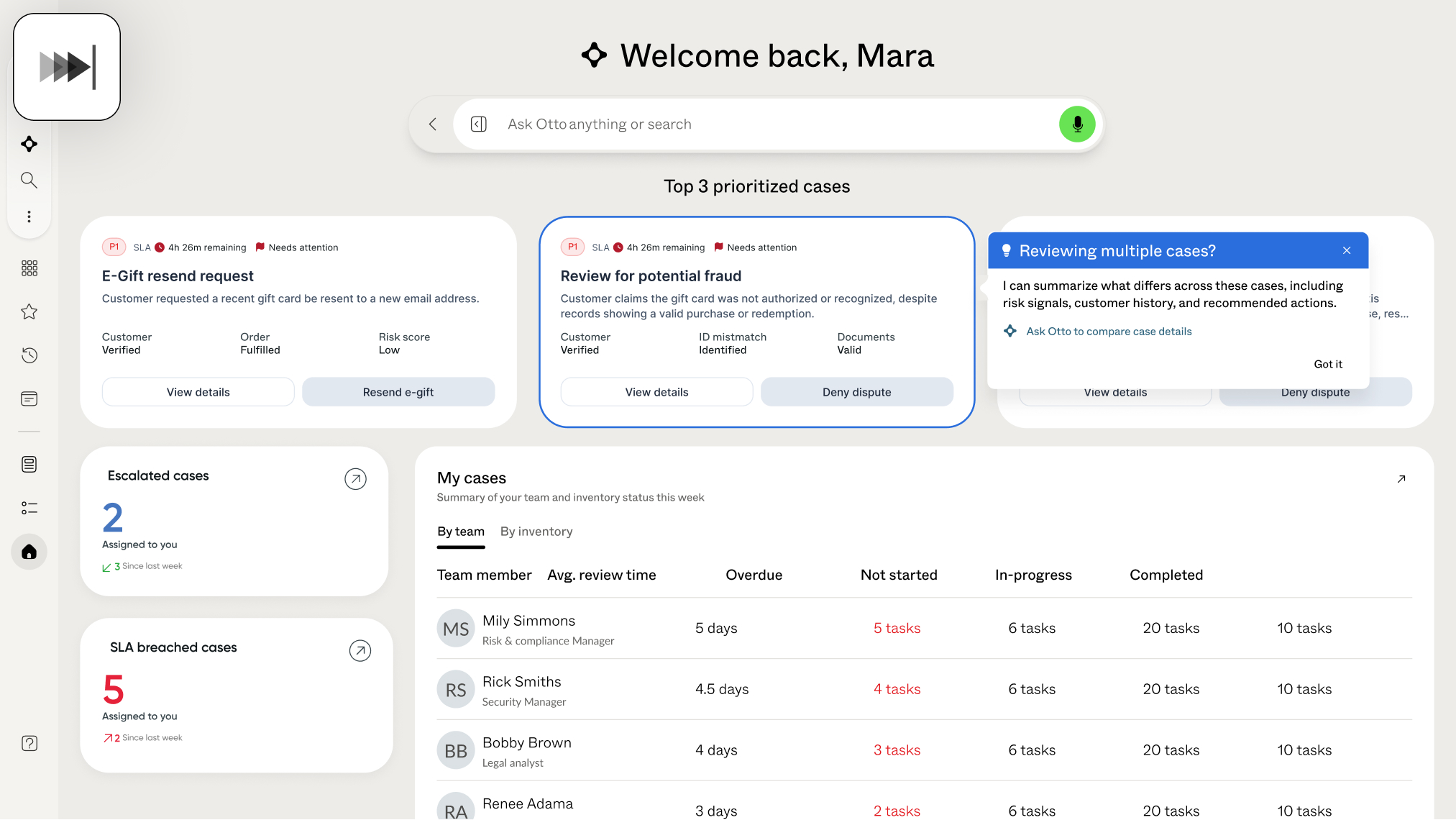
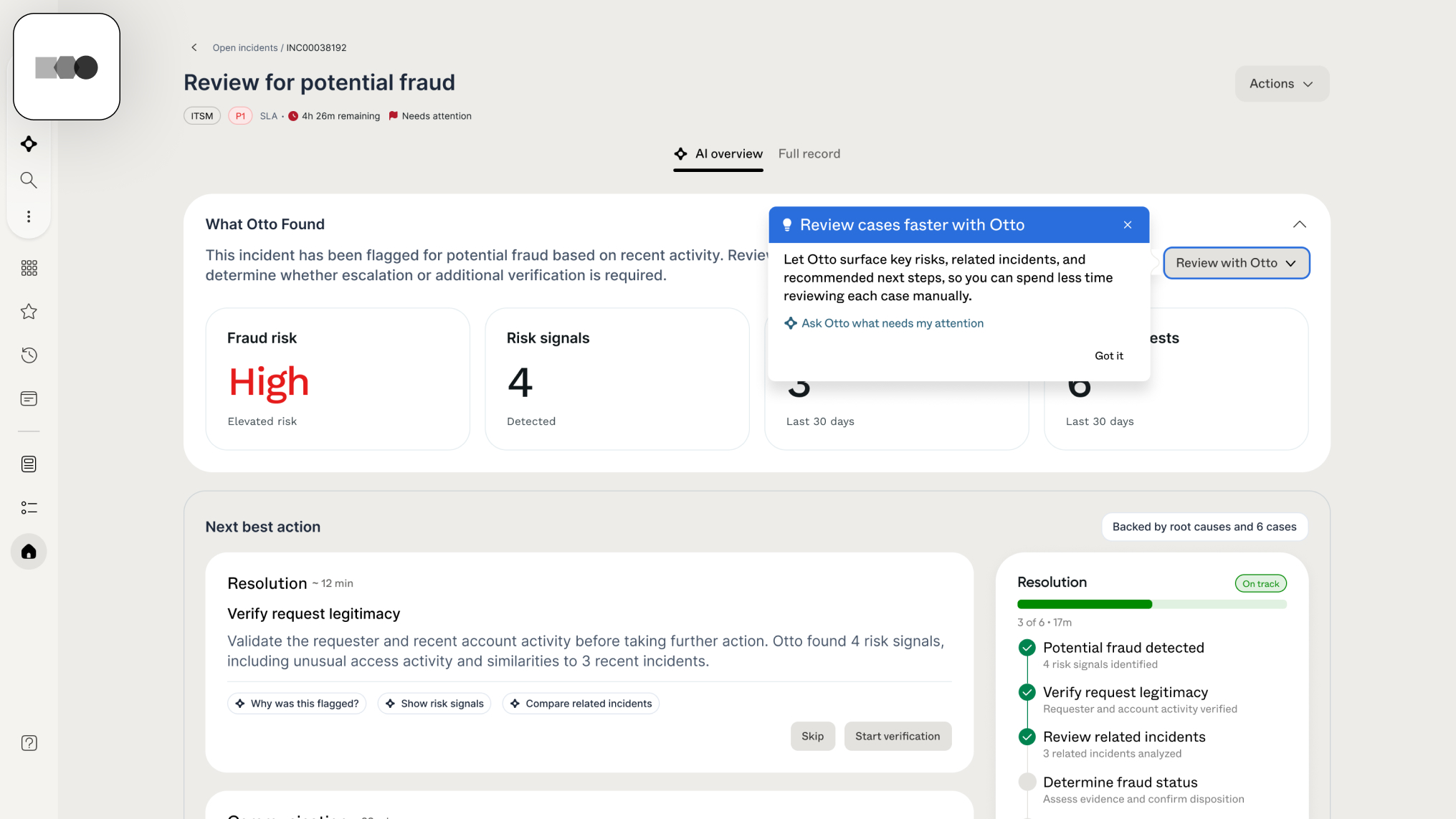
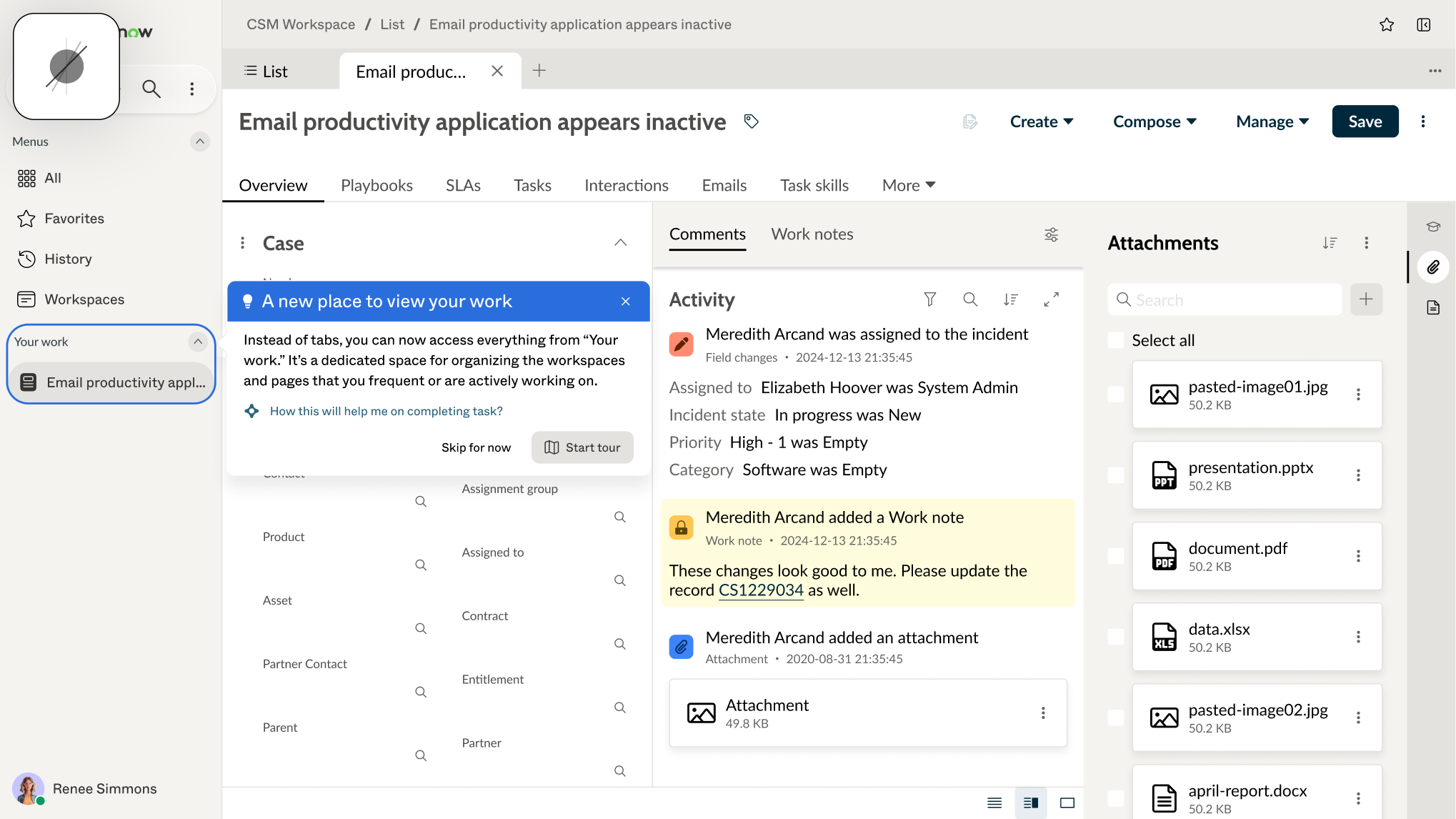
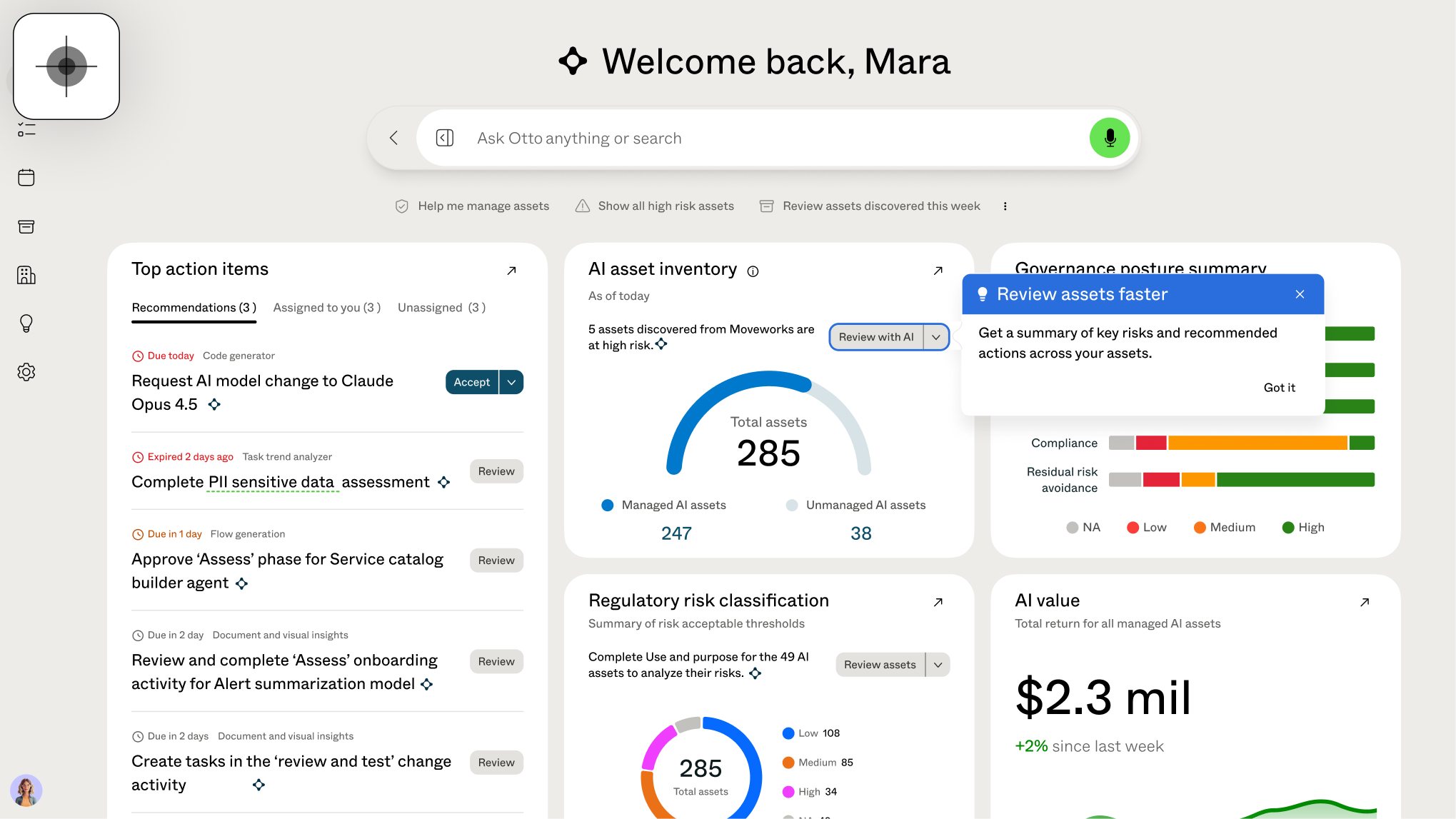
Consider an administrator reviewing incidents manually, without using an available AI capability such as Review with Otto or Next best action.
The opportunity is not simply to introduce the feature. It's to recognize when that capability could help with the user's current work—and determine whether offering guidance would be useful or disruptive.
This scenario illustrates a central challenge for AI Native Help: guidance needs to account for both the relevance of the recommendation and the user's immediate context.
A potentially helpful suggestion should not automatically become an interruption.
Exploring how guidance could fit into the workflow
While the AI-native platform was still taking shape, I explored a broad range of interaction ideas and collected use cases and assumptions with the team. As recurring needs emerged, we narrowed our initial focus to onboarding, helping users discover overlooked capabilities, and orienting them to changes. Together, these supported a broader goal: helping users adapt to the new environment and adopt new ways of working. These needs gave us a clearer basis for choosing which interaction patterns to develop further.

Use cases driven explorations
Choosing a lightweight foundation to learn from
We selected a popover-based approach because it could support several of these needs through a shared interaction pattern—from a brief contextual nudge to a step-by-step guided tour. It also offered a relatively lightweight implementation path.
At this early stage, committing to a more extensive solution would have meant significant engineering investment while many user needs and behaviors were still uncertain. I prioritized use cases supported by clearer assumptions, with the intent to release an initial experience and learn from real platform usage. That evidence would help clarify more ambiguous problems and inform how the guidance system should evolve.
Final AINH UI
The guidance experience
Patterns for different guidance needs
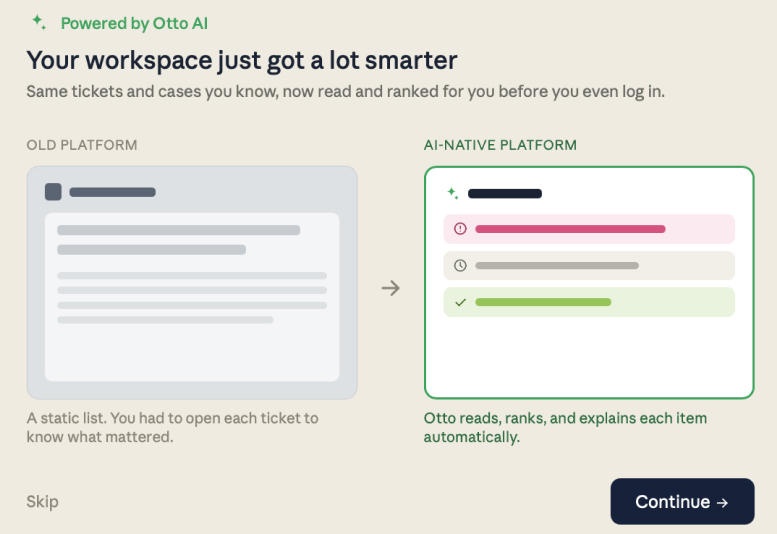
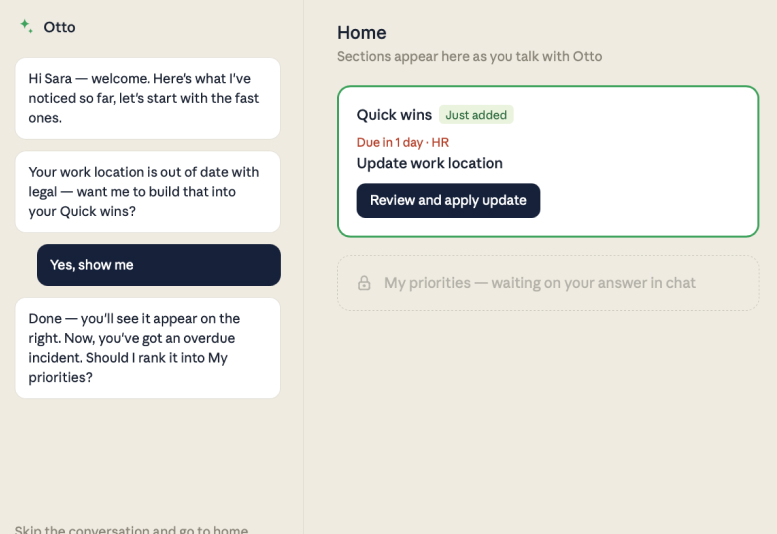
AI Native Help brings contextual guidance into the user’s workflow, helping them understand a capability, adapt to a change, or work through a task.
I identified recurring needs across use cases and defined popover patterns with different levels of assistance.
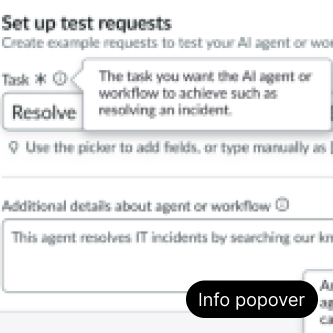
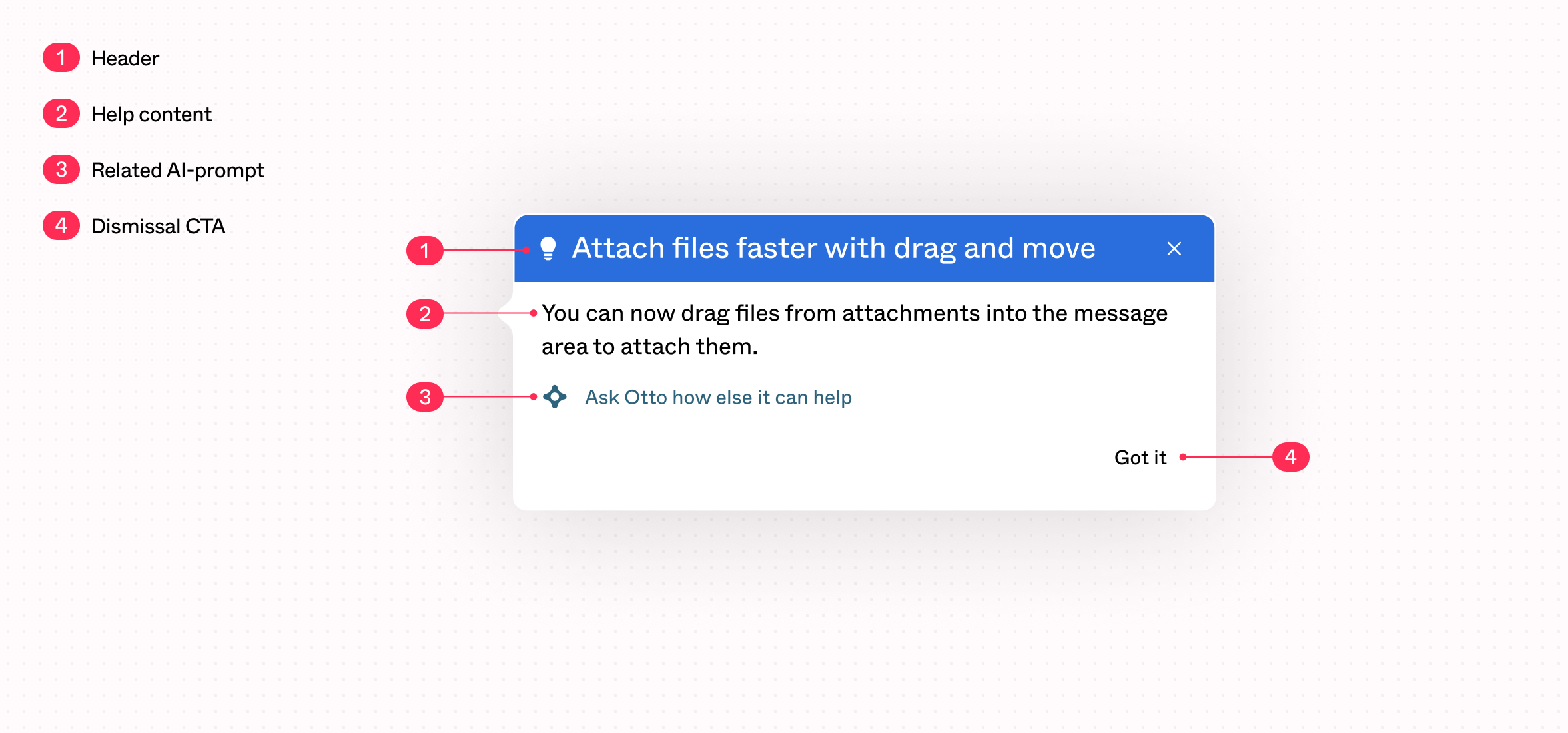
Text-only guidance provides a concise explanation or introduces a relevant capability.
Type#2
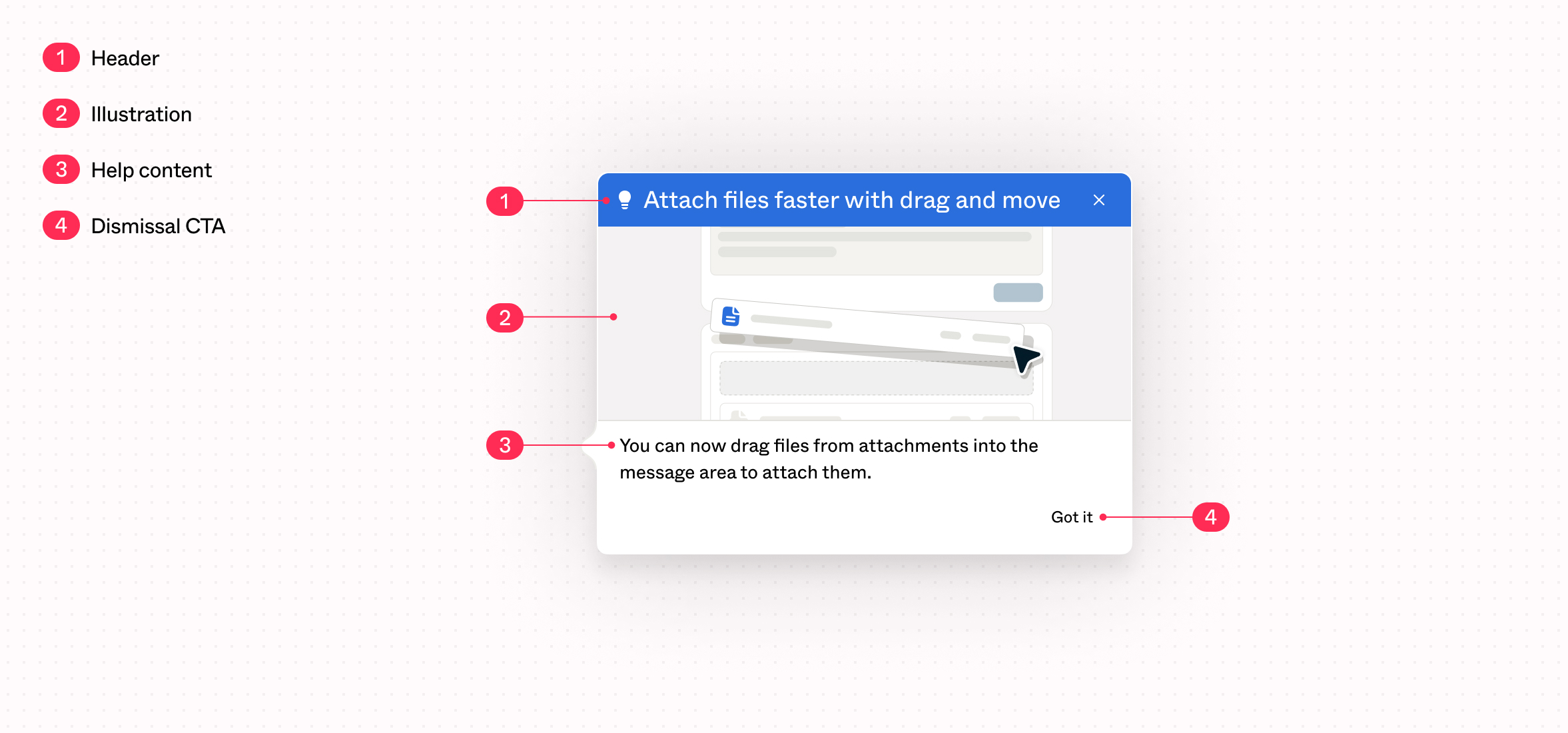
Text with imagery guidance
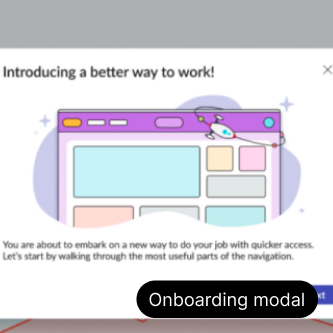
Text with imagery type adds visual context when an explanation alone may be difficult to understand.
Type#3
Informational walk-thru guidance
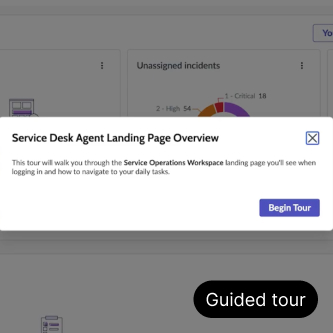
Introduce features or explain a workflow through a sequence of guidance steps. Users read each step and select “Next” to continue at their own pace.
Type#4
Action-based walk-thru guidance
Guide users through a task by having them perform each suggested action in the product. The walkthrough advances only after the required action is completed, helping users learn by doing.
Final AINH behavior/trigger rule
Defining when guidance appears
I developed five nudge categories from use cases, each representing a different reason to offer help. For each category, I defined candidate trigger conditions based on user behavior and context. Some rules were approved, while others remained proposals.
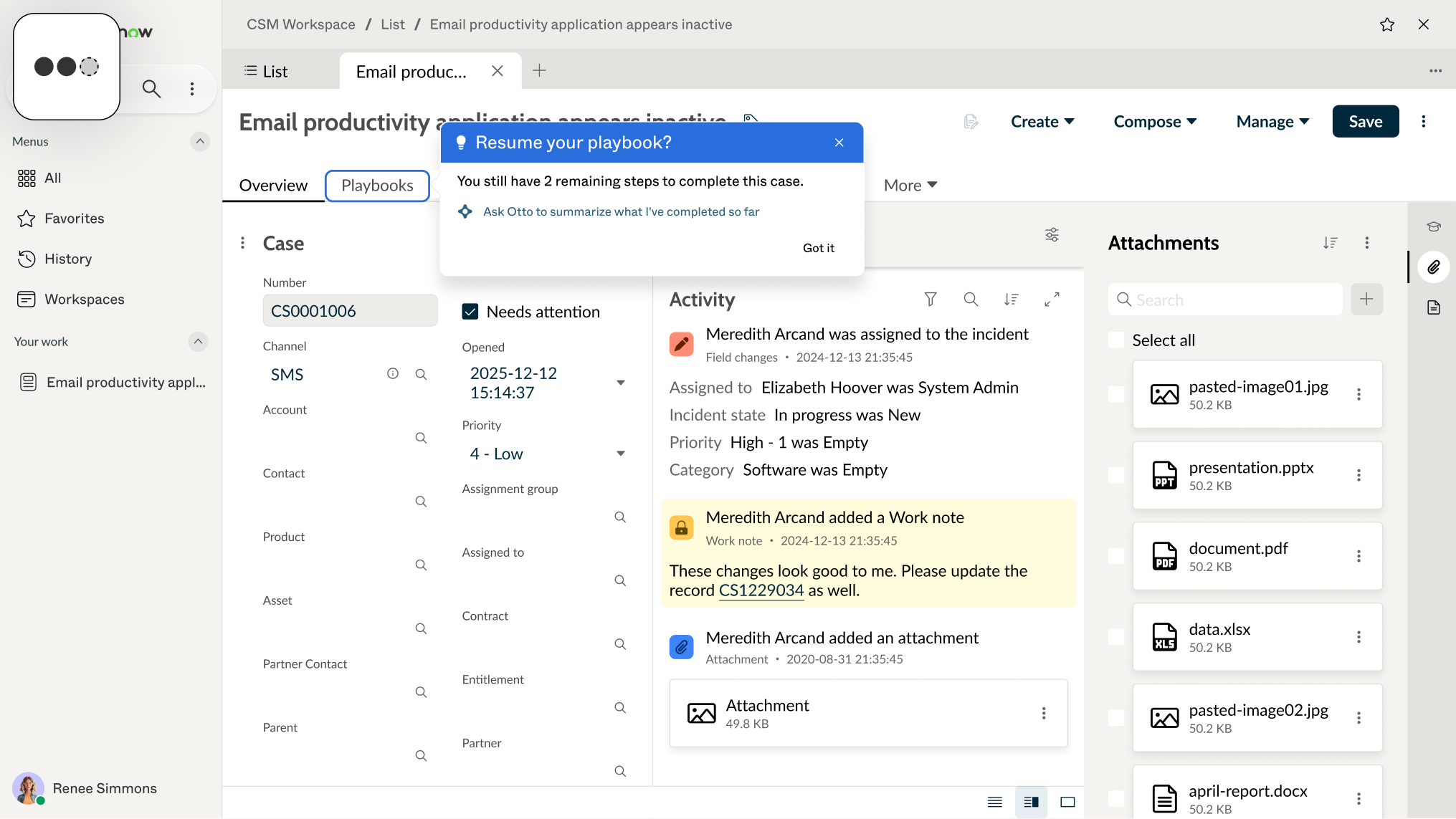
Offer help when user behavior suggests difficulty making progress—for example, repeatedly attempting an action or revisiting related records. Guidance addresses the immediate obstacle and provides a relevant next step.
Help users regain context when returning to unfinished work after an interruption or a previous session. Guidance surfaces what remains and helps them identify where to continue.
Help users improve an established way of working when their current approach involves repeated manual effort. Guidance introduces a more efficient method or an advanced capability that builds on what they already do.
Help users find their way when navigation, layouts, or familiar workflows change. Guidance connects their previous understanding to the updated experience so they can continue their work.
Surface an unfamiliar or overlooked capability when it is relevant to the user’s current activity. Guidance explains its immediate value and provides a clear starting point for trying it.
Eligibility does not mean immediate display
For example, a user reviewing incidents manually without using Review with Otto may meet the conditions for guidance about that capability. The nudge can still be held if the user is completing an important task, delayed if they have reached the daily exposure limit, or kept from appearing alongside another popover. Trigger conditions identify an opportunity to help. Additional rules protect the user’s focus and prevent excessive or competing guidance.
Shared guardrails for a consistent experience
AI Native Help supports both AI-generated guidance and content authored by business-unit teams. I developed shared guardrails to keep these contributions consistent in presentation and behavior as the framework expanded across products.


Only one nudge should appear at a time, and it should relate to the user’s active context. Other guidance waits rather than competing for attention.


Evidence of successful task completion should suppress unnecessary help. If users later encounter difficulty with the same task, the system can reconsider whether guidance would be useful.


The framework distinguishes between engaging, deferring, and dismissing guidance. Actions such as “Show me how,” “Skip for now,” and “Got it” or “End it now” express these choices within the interaction.
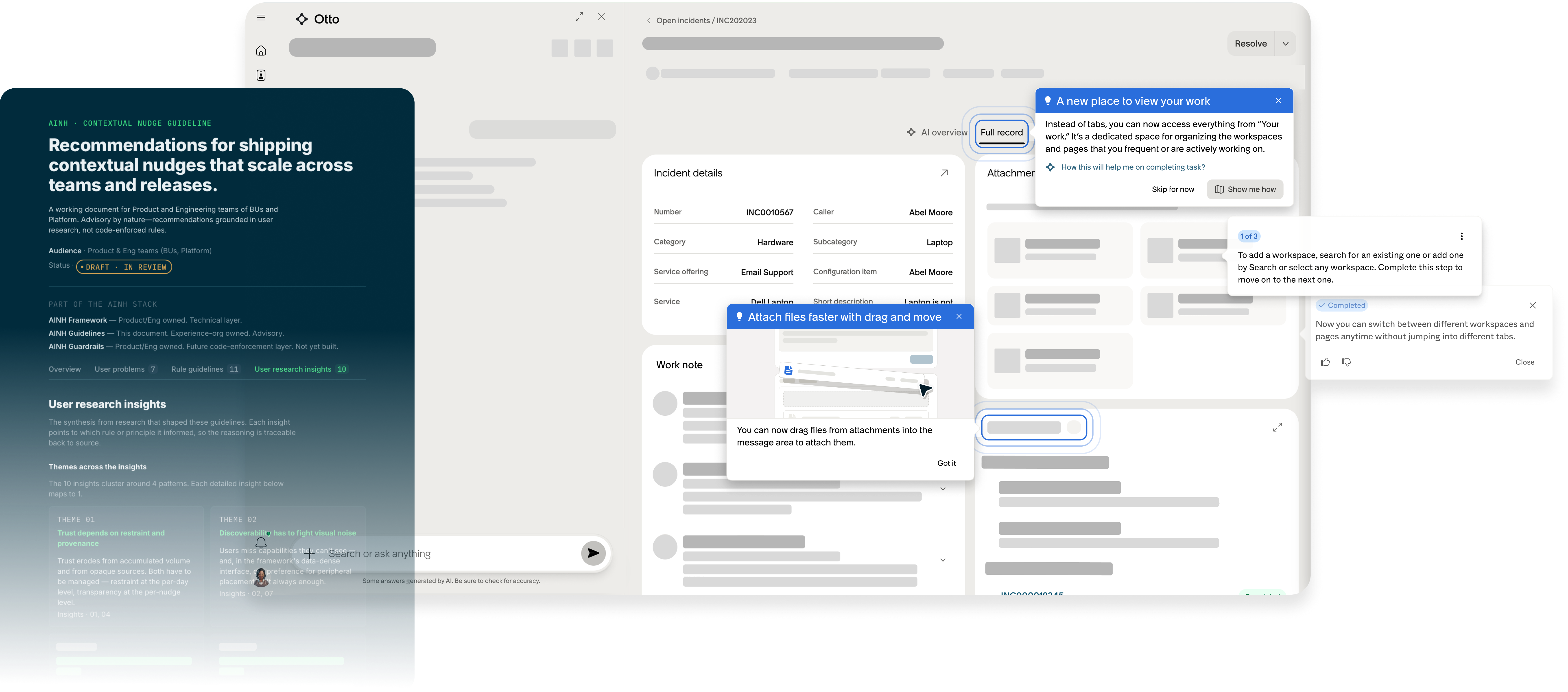
I developed the AINH Guidelines, a comprehensive reference that translates user research into scalable design principles, behavioral rules, and implementation guidance for AI-Native Help. Leveraging Claude to accelerate synthesis and documentation, I transformed qualitative insights into a framework that product teams could consistently review and apply across the platform.
To lead the Data-Protection-As-A-Service market with blockchain technology, we are building Oasis Parcel, a privacy-first data governance tool that isolates and protects your most sensitive data. Our goal is to empower developers and companies by helping them build secure and compliant infrastructure.
Parcel GA has been recently released, used by a few of our customers including
Nebula,
The Music Fund,
Castalise, and many more.
MY ROLE
Lead and solo designer – discovery and ideation, lo-fi design exploration, interaction design and prototype
TEAM
Naheed Vora, Product Manager
Charlie Jacobson, Product Manager
Nikhil Sharma, Full-stack Engineer
Luka Jeran, Front-end Engineer
Xi Zhang, Front-end Engineer
+ many more back-end engineers ❤️