ROLE
Lead Product Designer
TEAM
PM x 1
Eng x 4+
UX Research x 1
Content design x 1
VX design x 1
USER
Enterprise developers
What I did
Redesigning a complex configuration workflow to support informed decisions
This project explores how to make event configuration more understandable in ServiceNow UI Builder while preserving the flexibility builders need. I investigated the underlying platform complexity, restructured the workflow, and introduced contextual guidance and cross-referencing support to help builders configure application behavior without losing context or progress.
The problem
A common task that no participant could complete
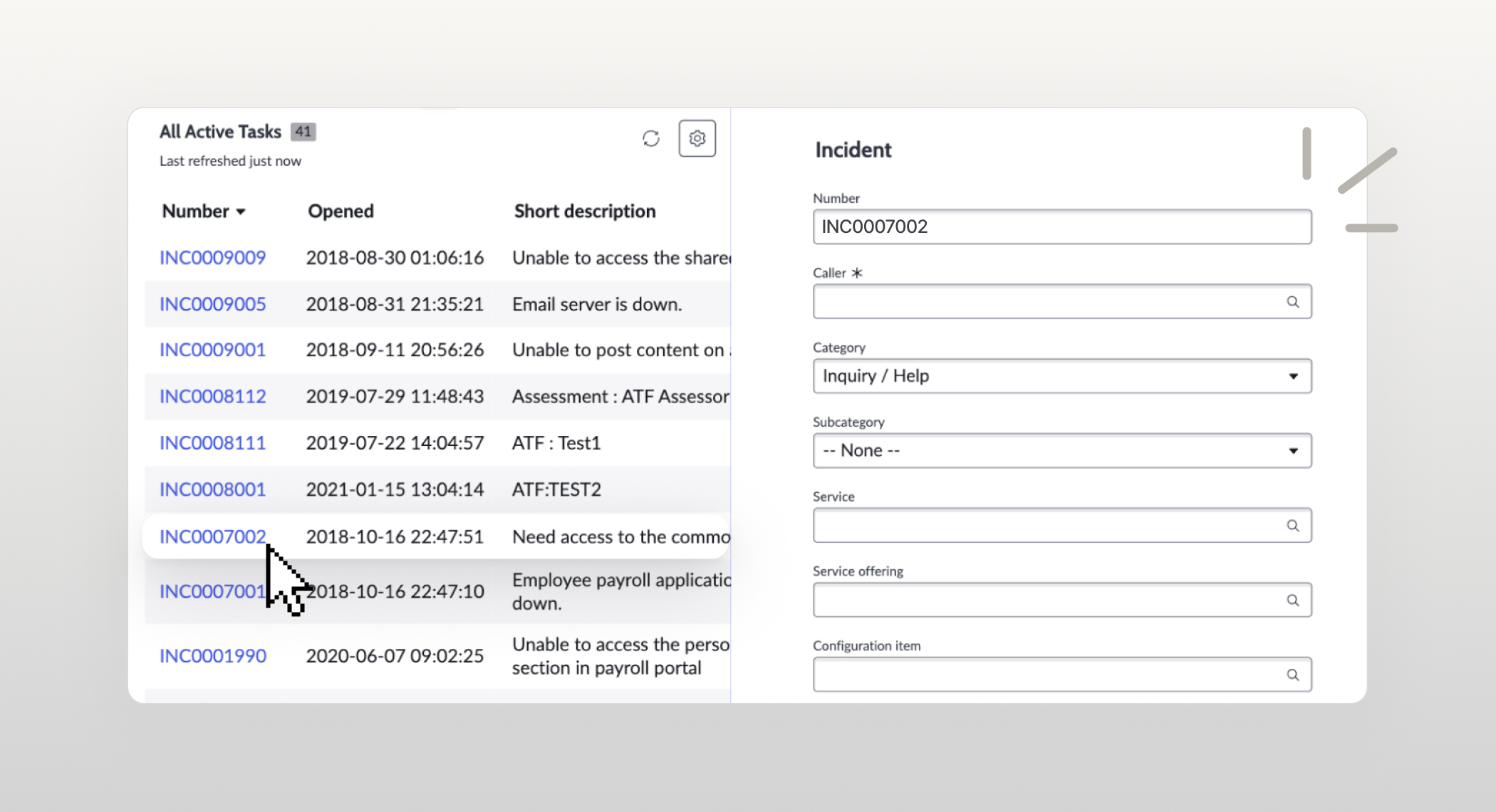
UI Builder is ServiceNow’s low-code tool for creating application pages and connecting components to data and logic. Event Mapping defines what happens when someone interacts with a component or page—for example, selecting a record in a list to open a form with the relevant data.
Despite being a common scenario, this task proved difficult. In a baseline usability study, none of the 20 participants completed it successfully.
The goal
Help builders configure interactions with clarity and confidence
The goal was to increase the usability of event mapping, making the configuration experience more accessible to low-code and mid-skilled users while preserving the flexibility advanced users needed. This meant helping builders understand the technical concepts, make informed decisions, and complete configurations.
Steps to complete UXQ task
-
Go to data and scripts
-
Create Client State Param (CSP)
↳ Type should be ‘String’
-
Select Form component
-
Bind Form’s sysId field w/ CSP
-
Select List component
-
Go to Events tab
-
Add event mapping
-
Choose event
↳ Reference link clicked
-
Choose handler
↳ Update client state parameter
-
Configure 1: Select the CSP
-
Configure 2: Bind the event payload’s sys_id to the CSP
Approach
Uncovering the knowledge behind the task
I started by completing the same task myself. A seemingly simple connection between a list and a form required understanding client state parameters, dynamic data binding, record identifiers, and event payloads—and knowing when and how to connect them. To understand these dependencies, I worked with one of UI Builder’s original architects, reviewed testing sessions with the PM, studied internal documentation, and explored other common mapping scenarios.
Insight from investigation
The investigation revealed three broader patterns.
First, Events required knowledge of other UI Builder concepts that low-code users might not understand. Second, real scenarios quickly became complex, with a single mapping involving multiple parts and assets. Finally, these relationships were often invisible. Almost any element could connect to another, making it difficult to trace how the page worked as a system.
Challenge#1
The experience was split into disconnected steps.
Users selected an event in one popover. That popover then disappeared, and another one opened for choosing and configuring the handler. A single configuration felt like multiple disconnected tasks.
Challenge#2
Complex decisions came with little guidance.
Depending on the component, users could encounter long lists of technically labeled events or handlers. They often had to rely on documentation or prior platform knowledge to identify the correct option.
Challenge#3
The interaction model couldn’t support cross-referencing
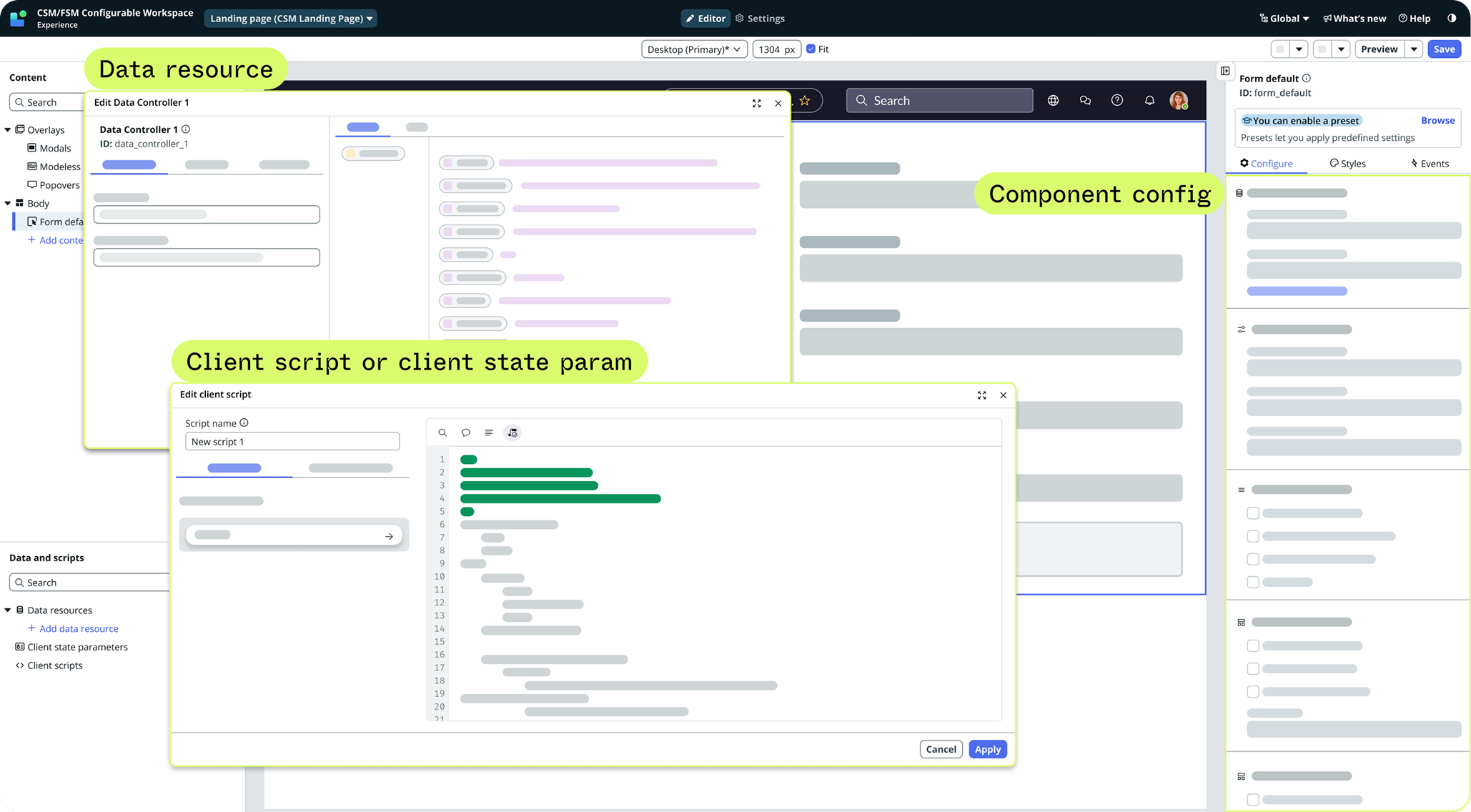
Users frequently needed to inspect data resources, scripts, client state parameters, or other component properties while configuring an event. Because the experience lived in a popover, navigating elsewhere could close it and erase user’s progress.
Component
Component value
Data resource
Client state param
Page
Client scripts
Data bindings
Challenge#4
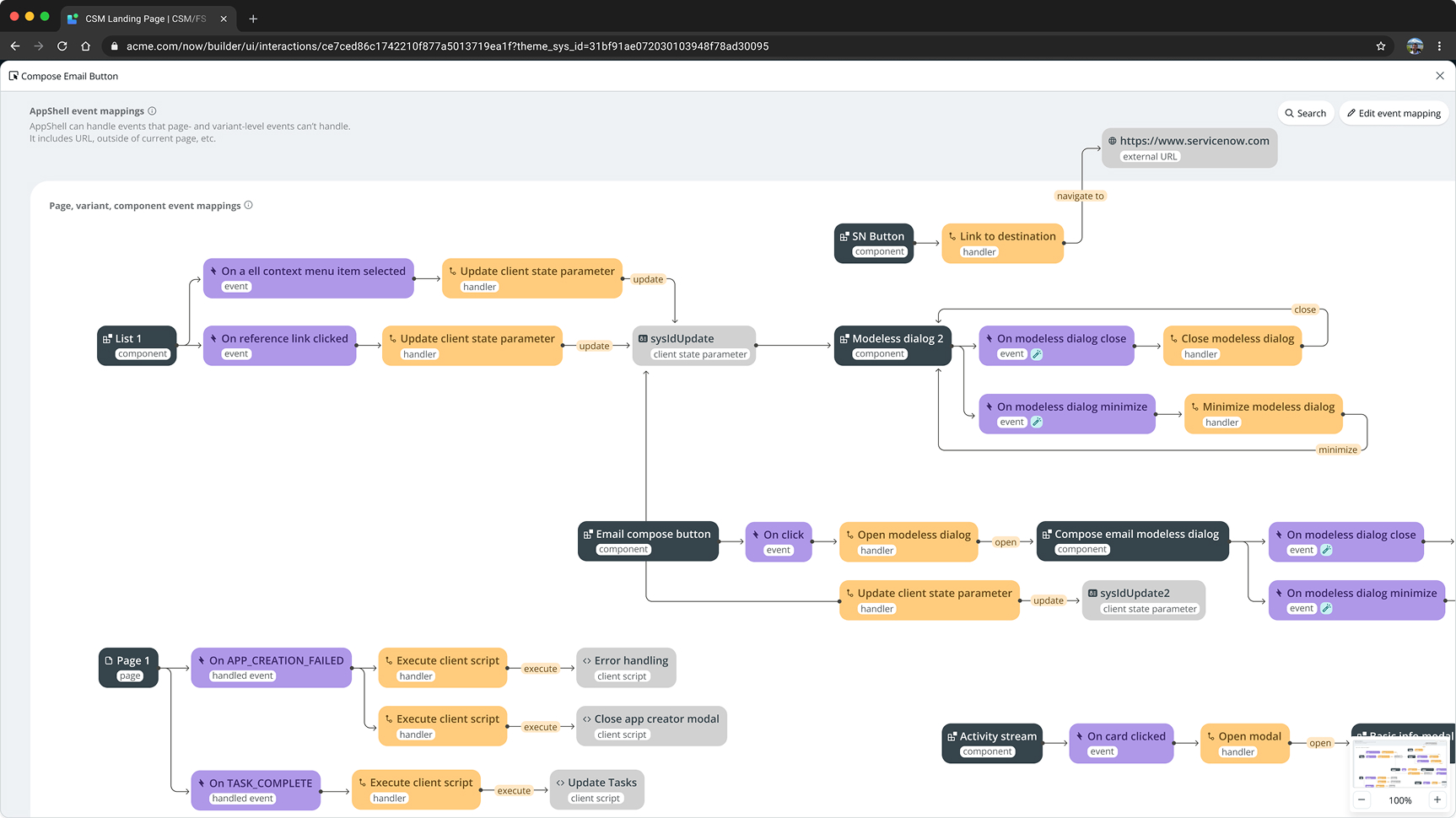
No central view of all event mappings
Mappings were only visible within individual page, components, or data resources. Users couldn’t easily see how these things were connected or understand how the page behaved as one system.
Decision#1
Separating decisions without losing context
The original experience treated event selection and response configuration as separate interactions, even though they were part of one task.
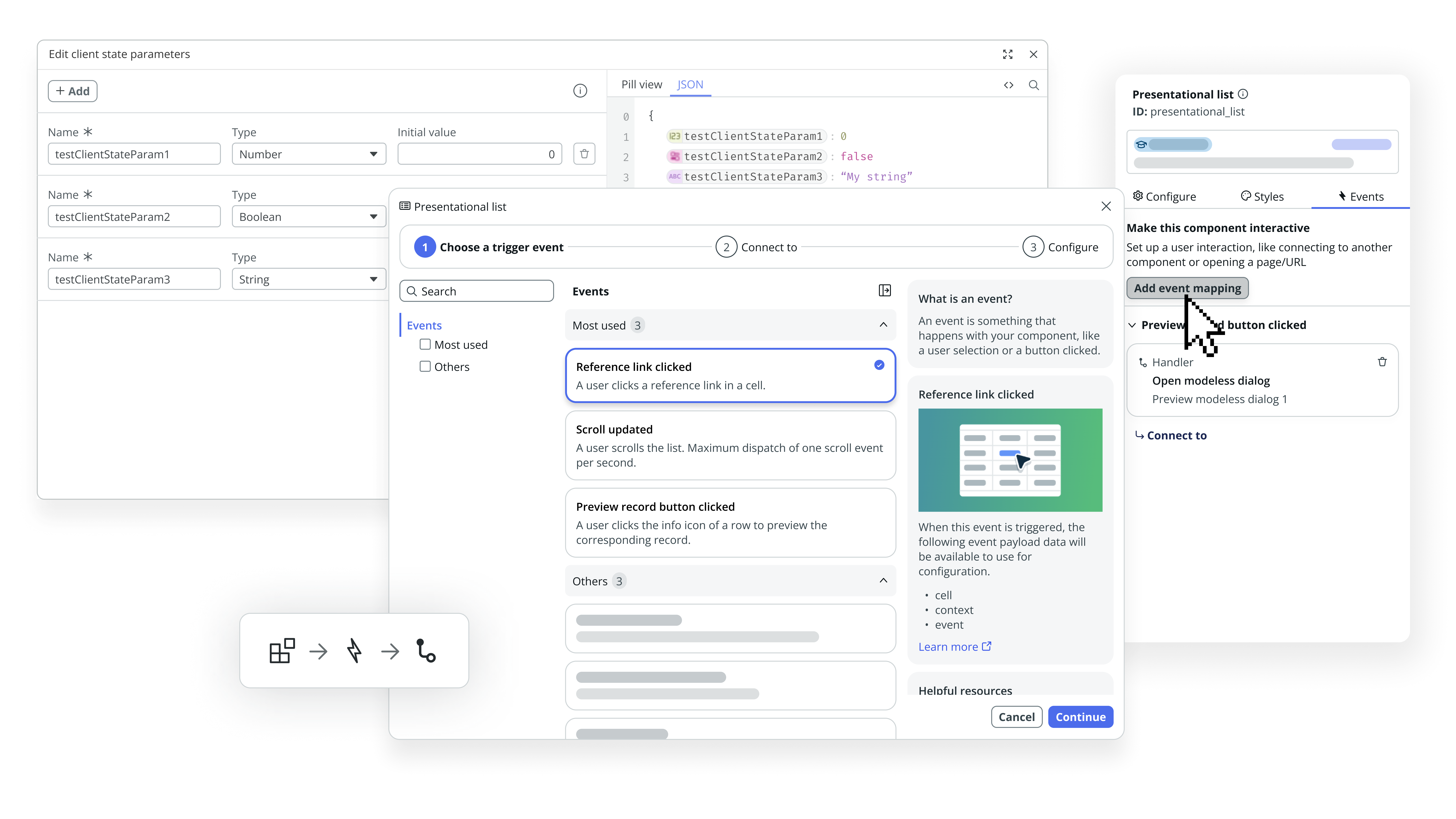
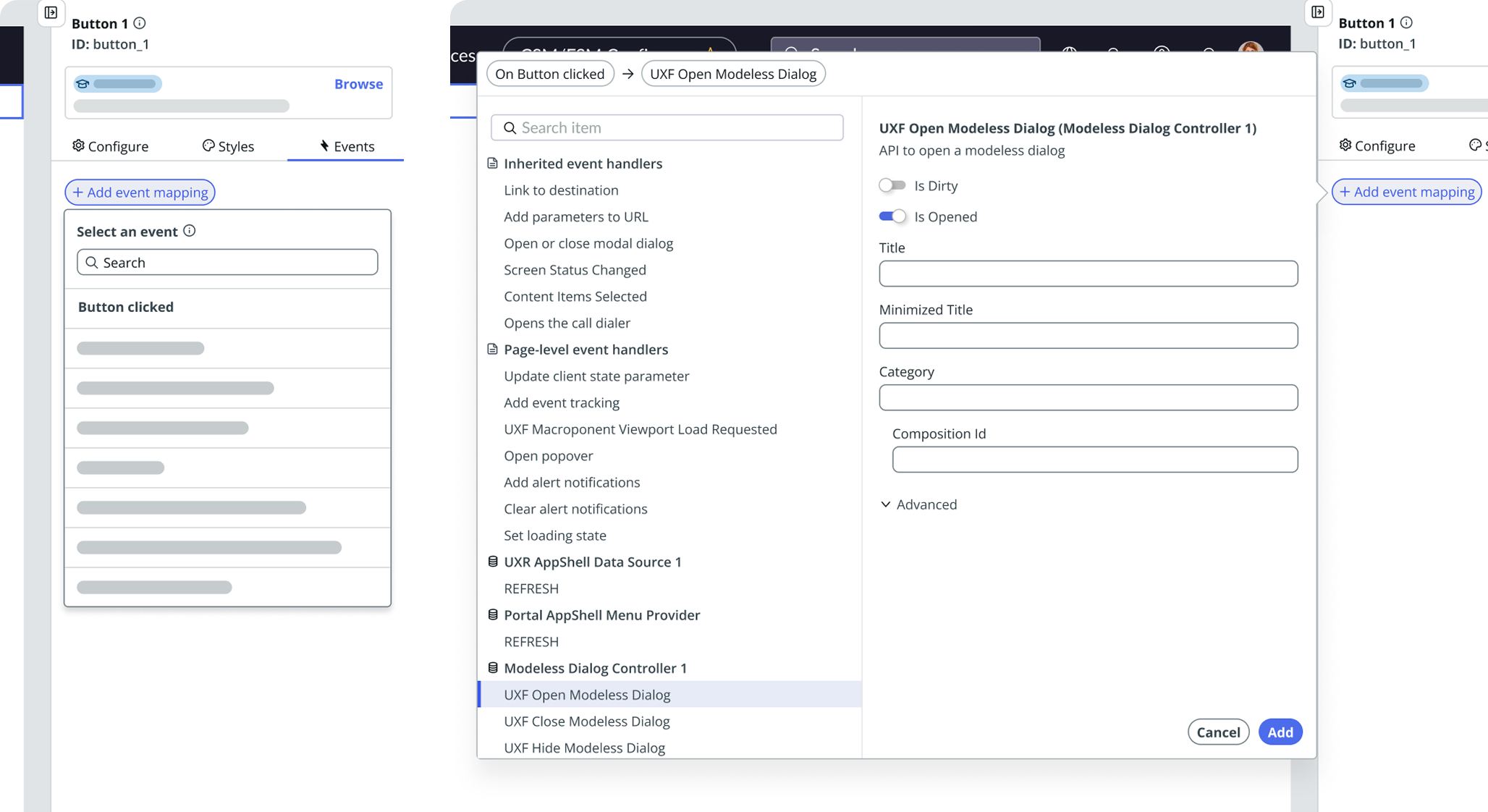
I reorganized the workflow around three connected decisions: Choose Event → Choose Response → Configure. Each step gave builders a clearer focus, while allowing them to revisit earlier choices as their understanding evolved.
A persistent summary kept the triggering component, selected event, and response visible throughout the process. This helped builders understand not just what they were configuring, but how each decision contributed to the overall behavior.
The goal was to reduce the effort of keeping track of relationships across steps without hiding the underlying configuration details.
Decision#2
Bring the information needed to decide into the workflow
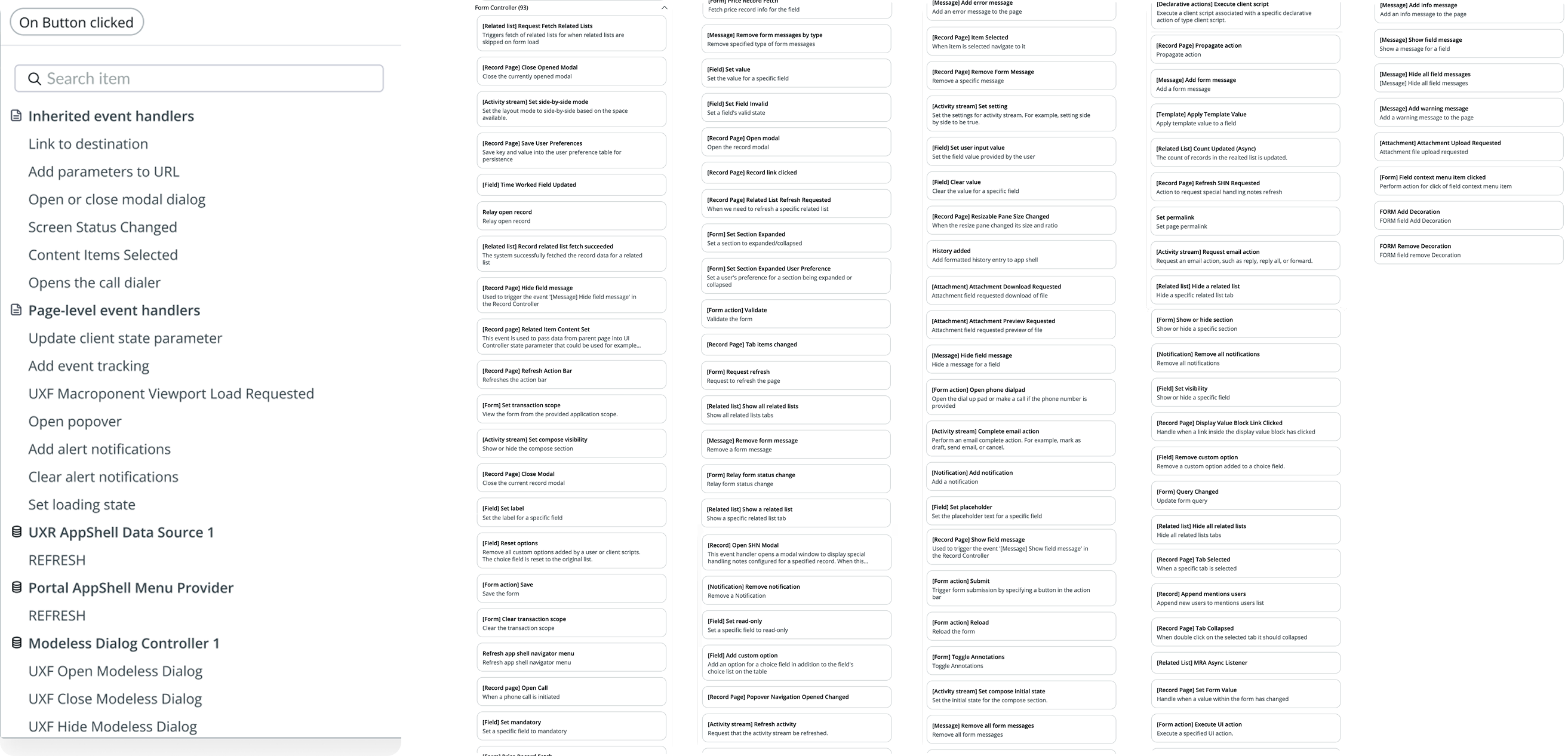
Depending on the component, users could encounter long lists of technically labeled events or handlers. They often had to rely on documentation or prior platform knowledge to identify the correct option.
Why I designed it that way
Decision-critical information was missing
Choosing the right event or response required more than recognizing a technical label. Builders needed to understand what an option did, what information it provided, and how it related to the behavior they were configuring.
Rather than expecting users to consult documentation and return to the editor, I brought contextual explanations into the selection process. The information panel provided descriptions and relevant payload details alongside the available options, helping users evaluate their choices without leaving the workflow.
This was not about removing technical complexity, but making the information needed for each decision accessible at the moment it mattered.
Decision#3
Make common options easier to find
Working with the PM and engineering telemetry, I surfaced frequently used events and responses at the top of the list. These provided a starting point without implying that popularity guaranteed the right choice.
Also, related responses were grouped into collapsible sections, while category filters helped builders narrow the available options.
Decision#4
Designing for cross-referencing and workflow continuity
Moving event configuration into a modeless dialog addressed the risk of losing progress when builders needed to inspect other parts of the editor. But changing the container alone was not enough.
I reviewed existing overlay behaviors across UI Builder and worked with engineering to define how the new interaction should behave within the broader editor. This included focus management, layering, and support for multiple dialogs, so builders could reference related configurations without losing their place.
The work extended beyond an individual feature, requiring us to consider how the interaction pattern would coexist with other editor experiences and remain predictable as workflows became more complex.
Rethinking the interaction model
Beyond individual mappings: making page behavior visible
To lead the Data-Protection-As-A-Service market with blockchain technology, we are building Oasis Parcel, a privacy-first data governance tool that isolates and protects your most sensitive data. Our goal is to empower developers and companies by helping them build secure and compliant infrastructure.
Parcel GA has been recently released, used by a few of our customers including
Nebula,
The Music Fund,
Castalise, and many more.
MY ROLE
Lead and solo designer – discovery and ideation, lo-fi design exploration, interaction design and prototype
TEAM
Naheed Vora, Product Manager
Charlie Jacobson, Product Manager
Nikhil Sharma, Full-stack Engineer
Luka Jeran, Front-end Engineer
Xi Zhang, Front-end Engineer
+ many more back-end engineers ❤️
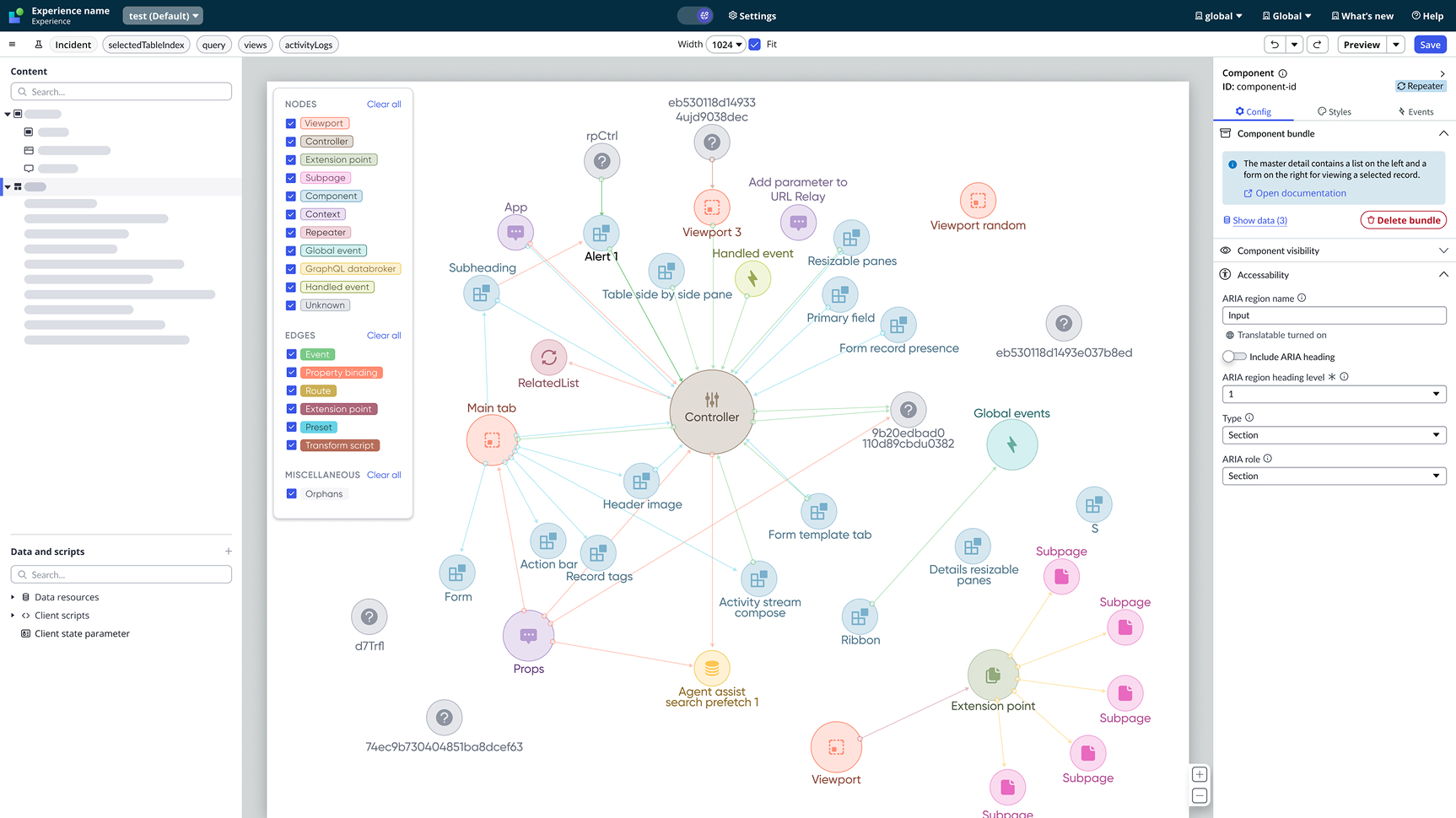
A unified view of how things are connected
I also explored an interactive node map to make those relationships visible. It could help less experienced builders understand page behavior and give advanced users another way to investigate dependencies and troubleshoot. The exploration prompted discussions across design, engineering, and product leadership, including possibilities for visualizing event sequences alongside developer tools.
We paused the direction because we lacked enough evidence that its value justified the platform investment and implementation risk. It nevertheless expanded the conversation from configuring individual mappings to understanding behavior across an entire page.
Post-implementation
Early validation showed the original task was achievable
After the initial redesign, we needed to determine whether we had addressed the original usability barriers.With no researcher available, I planned and facilitated a customer usability study within a three-week window. Three low-code to mid-skilled developers—one frequent and two occasional UI Builder users—attempted the same task used in the baseline study.
All three completed the task successfully
The sample was small, so this was an encouraging early signal rather than a generalizable success rate. This study evaluated the initial redesigned workflow, before the subsequent modeless-dialog release.
What the sessions revealed
Participants found the step-by-step flow more organized. Payload visibility supported configuration, and visual explanations helped them understand their choices.
The sessions also exposed a tradeoff. One participant questioned the additional clicks, particularly because their team worked in a slower UI Builder environment. The guidance improved clarity, but each interaction still carried a cost. This reinforced the need to assess both decision support and interaction efficiency as the experience evolved.
.png)
.png)